


League settings → Previous Leagues → the season you want.
Get your Sleeper league into Fantasy HofF
You sign in to Fantasy HofF first, then connect your Sleeper league. Here’s what to do at each stage.
Sign in to Fantasy HofF ↗- 01
Sign in with your email
Enter your email on the Fantasy HofF sign-in page and follow the email verification instructions. The link above returns you to Add league with Sleeper selected.
FANTASY HALL OF FAMEYour league starts here.[email protected]Illustrative sign-in flow · not a form - 02
Find your Sleeper league
Choose Sleeper in Fantasy HofF and enter your Sleeper username or league link. The import uses publicly available league data; you do not need to share a Sleeper password.
Check the discovered years. If your group created a fresh league rather than renewing, look up that league separately to avoid losing an era.
Have your original league link readyConfirm the league and season list before choosing what to import. - 03
Review the seasons. Match the franchises.
Add your available Yahoo, ESPN, or other provider seasons to the same museum. Review franchise identity across the move before relying on all-time standings.
EXAMPLE SEASON REVIEW2023Sunday ScariesCheck identity2024Fourth & LongReview rename2025Fourth & LongSame franchiseIllustrative review checklist. Actual screens and available seasons depend on your provider.
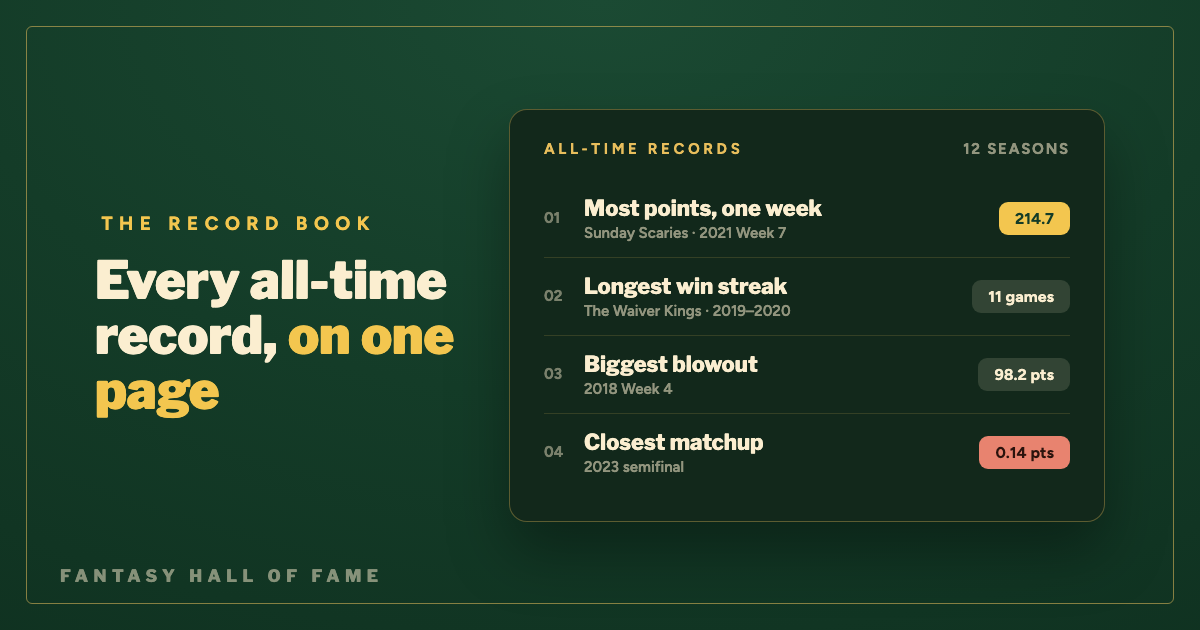
Start with the champions and record book. Compare one known season to the source before sharing it with the league.
How to find your Sleeper league history
Open Previous Leagues
In the league’s settings, open Previous Leagues and choose the year. Sleeper links renewed leagues to their previous seasons; a separately recreated league may need its own lookup.
Read history and weekly reports
Use the league’s history and reports to revisit champions, all-time standings, scoring highs, and playoff brackets where available.
Find a past transaction
Open the past season, go to the League tab, and use View All under Recent Activity. Check the date and season before using a trade or waiver move in a recap.
What Sleeper league history can include
Swipe across the table to see all columns →
| History to look for | Where to start | What to verify |
|---|---|---|
| Renewed seasons | Use Previous Leagues to inspect the season chain. | Separately recreated leagues may need an independent lookup. |
| Past trades and activity | Open the old season, then League → Recent Activity → View All. | Check the year before interpreting a trade in today’s roster context. |
| Native history import | Sleeper offers a desktop Chrome import extension. | Consult its current supported sources and import instructions. |
| Manually added history | Commissioners can add earlier seasons with the mobile history editor. | A manually entered finish is not a complete set of weekly matchups. |
Sleeper now has a native history importer, too
Sleeper offers a desktop Chrome extension for importing supported league history into Sleeper. Use that when your goal is history inside Sleeper. Fantasy HofF serves a different purpose: a dedicated league museum and record book that brings available seasons from multiple providers together. You do not need to move your live league to preserve it.
Check scores, standings, drafts, and lineups separately. Coverage varies by year and provider; an import cannot restore data the source no longer exposes.
Missing Sleeper league history? Start here
Previous Leagues stops before our first season
Find out whether the group renewed the same league every year. If someone created a fresh league, look up the older league separately using its original link or a participating manager’s account. An unlinked season should not be assumed to be deleted.
The old trade is not in this season’s activity
Switch into the year in which the trade happened before opening Recent Activity. Dynasty rosters carry a long story, but looking at a current roster does not reveal the full transaction trail from earlier seasons. Save the date and the season with the trade you want to cite.
We manually entered winners, but want matchup records
Treat those entries as a summary of past finishes. Weekly scoring highs, head-to-head records, and close-game margins require actual matchup data. Check the original provider or a supported native import rather than assuming the summary contains those details.
Importing into Sleeper versus preserving history outside Sleeper
Choose the destination before choosing the tool. Sleeper’s native importer is for bringing supported history into Sleeper. Fantasy HofF is for keeping a dedicated museum across available platform eras. If your league is happy on its current platform, you can build an archive without changing where the live competition runs.
For a Yahoo-to-Sleeper move, review what the native import already added before importing the same years from both sources into a museum. Check champions, season ranges, and franchise matches against the original records. A manual past-winner entry and a fully imported season should not be treated as equivalent evidence.
How to build an accurate all-time record book
Before comparing managers across seasons, decide what each record includes. A season champion, a regular-season points leader, and a franchise’s lifetime win total answer different questions. Keep the original results and explain your counting rules.
Swipe across the table to see all columns →
| Record | What to save | What to check |
|---|---|---|
| Championships | Champion, runner-up, final score, season link | Use the actual title-game outcome; check multi-week finals. |
| All-time wins | Final matchup outcomes with season and week | State whether playoff and consolation games count. |
| Highest weekly score | Team, points, week, season, scoring format | Separate scoring eras when major rules changed. |
| Head-to-head rivalry | Both franchise identities and each final result | A renamed team can still be the same franchise. |
| Draft history | Season, draft type, pick or auction result | Keep startup, rookie, and supplemental drafts distinct. |
Same franchise. Two names. One record.
A team goes 8–6 as “Fourth & Long” in one regular season and 9–5 as “Sunday Scaries” the next. If your league treats those as the same continuing franchise, its combined regular-season record is 17–11. Keep any playoff wins in a separately labelled total. If the owner changed, distinguish franchise history from the new manager’s personal record.
Download a Sleeper league history worksheet
Use this CSV as an inventory before importing or switching platforms. Open it in a spreadsheet and add one row per season. It is a planning worksheet, not an import file for Fantasy HofF or Sleeper.
Sleeper archive worksheetSeason · original URL · champion · coverage · missing details↓Keep evidence alongside the spreadsheet
Save a clear copy of the final standings and championship result where you have access to them. Name supporting files with the year and report type so they can be matched to the right row. Never put account passwords or session cookies in an archive worksheet.
When a year is incomplete, write down exactly what is missing: an inaccessible season, a missing draft, or a lineup report without player points. This gives the next commissioner a concrete task and avoids treating a partially preserved season as either fully complete or entirely lost.
Before you call the archive complete
- Confirm every renewed season appears in the year list.
- Look up separately recreated leagues individually.
- Review franchise matches across imported platform eras.
The platform changes.
The history stays yours.
Bring available seasons into one museum, connect the franchises, and give your league’s records a home.
Build your league museumA few things commissioners ask
Can I add older winners directly in Sleeper?
Sleeper provides a manual history editor for commissioners, alongside its history-import options. Manually entering past winners is different from importing complete historical matchup data.
Why does a previous season look like a separate league?
Sleeper uses season-specific leagues linked through renewal. That is why checking the previous-season chain matters when collecting a complete archive.
Do I need to share a Sleeper password?
No password is required for Fantasy HofF’s public Sleeper lookup. Use a username or league link and review the league returned before importing.
What happens if a commissioner creates a new league instead of renewing?
The new league may not be connected to the old season chain. Keep the older link and look it up separately when collecting your archive.
Can I use both Sleeper history and Fantasy HofF?
Yes. They can serve different purposes: native history in your league app and a dedicated museum spanning provider eras. Verify overlapping seasons so your record book does not count the same competition twice.
Sources & further reading
Provider navigation can change. These instructions were reviewed against the available provider help and Fantasy HofF importer flows in September 2026.
- Sleeper: past transaction history ↗
- Sleeper: league history and reports ↗
- Sleeper: importing league history ↗
Next: write a league newsletter with a ready-to-use template →